DESKTOP
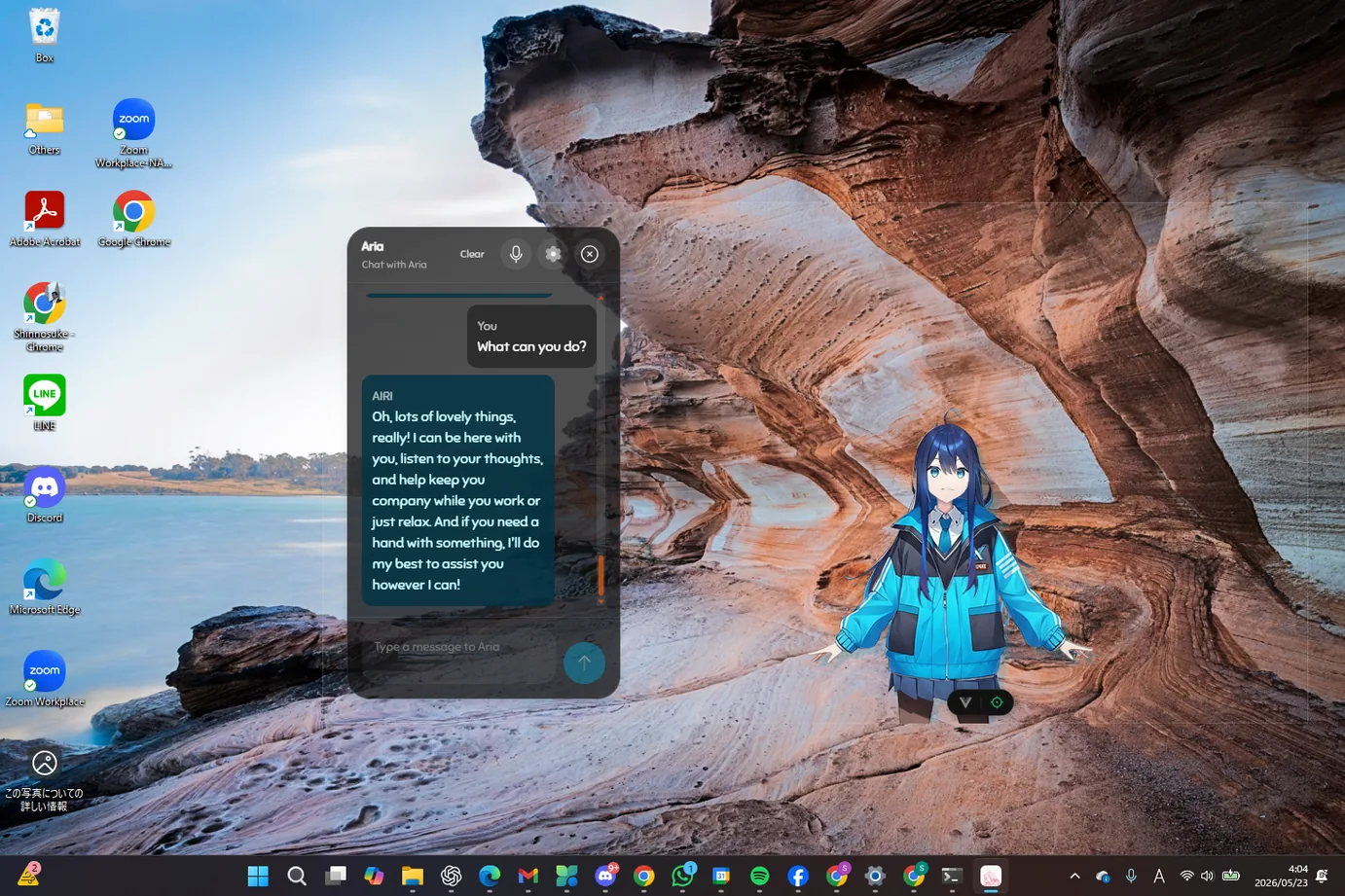
She's on your desktop, not in another tab.
Alice sits on top of your workspace as a small presence you can talk to out loud or type to. When there's nothing worth saying, she stays at the edge of the screen and says nothing.
- Talk out loud — voice in, voice back
- Remembers across sessions, so you don't re-explain yourself
- Connect your own model, including one running locally
A MOMENT WITH ALICE
9:00 AM
You sit down, and Alice picks up where the two of you left off yesterday.
"You were stuck on the same thing last night. Did it end up working?"
CORE EXPERIENCES
A presence, not a window
The avatar lives on your desktop where you place her, running quietly in the background with reply voice and positioning you can tune. There's no app to switch to, and she isn't asking for your attention.
Voice to voice
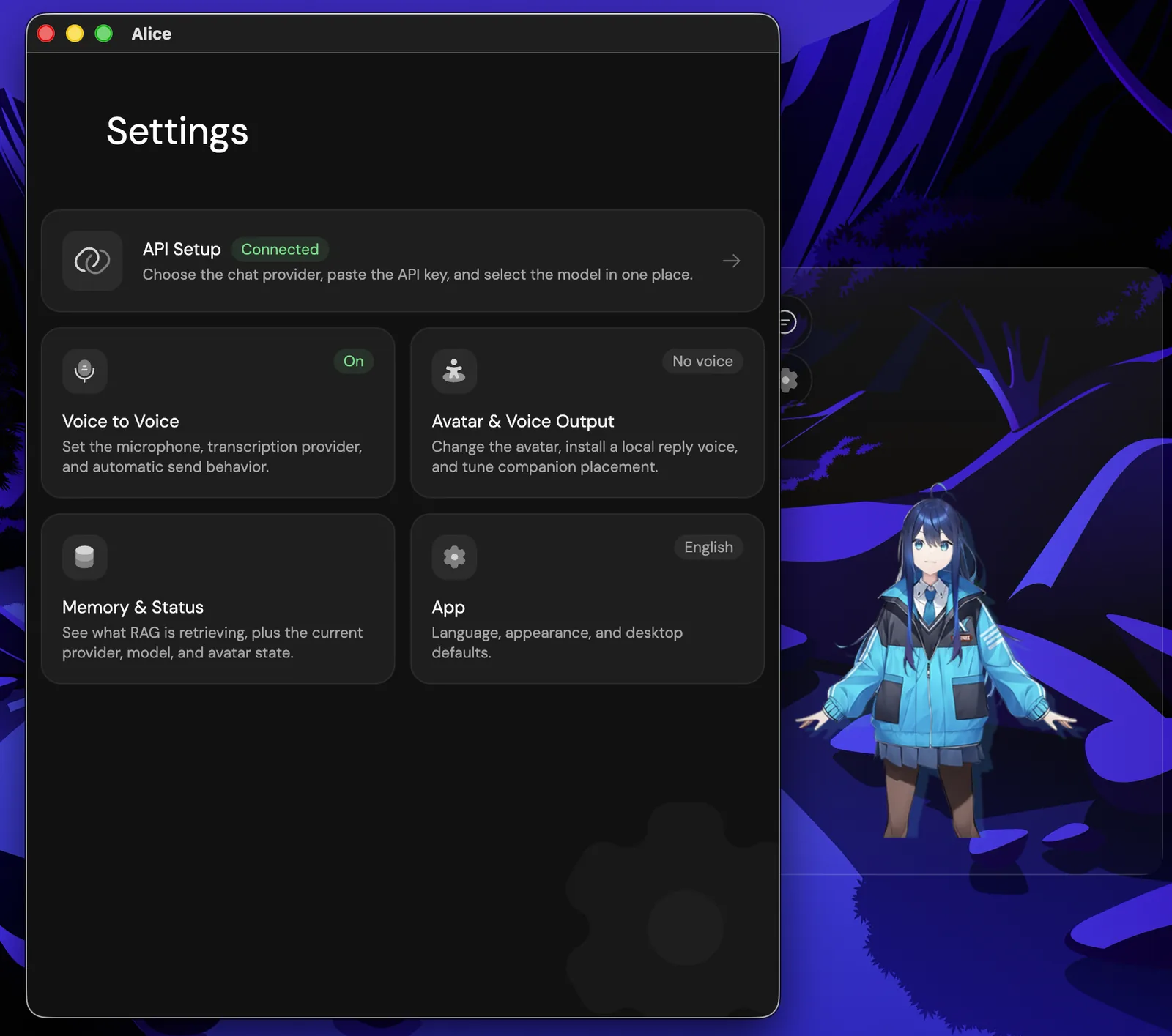
Pick a microphone, connect a transcription provider, and talk normally. You decide whether recognised speech is sent automatically or waits for you.
Watch something together
Not in the alpha yetShare your screen and she sees what you see — a match, a long stream, a film you'd otherwise be halfway through alone. She reacts while it's happening, not afterwards.
She notices what you're doing
Not in the alpha yetWith your permission, Alice can read the shape of your day from what's in front of you — deep in something, stuck, or finished — and choose to say something or stay quiet.
Memory you can look at
A memory panel shows what Alice retrieved for a given reply, alongside the provider and model that produced it. The ordinary parts of your days accumulate there, and you can read them back. No black box.
Bring your own model
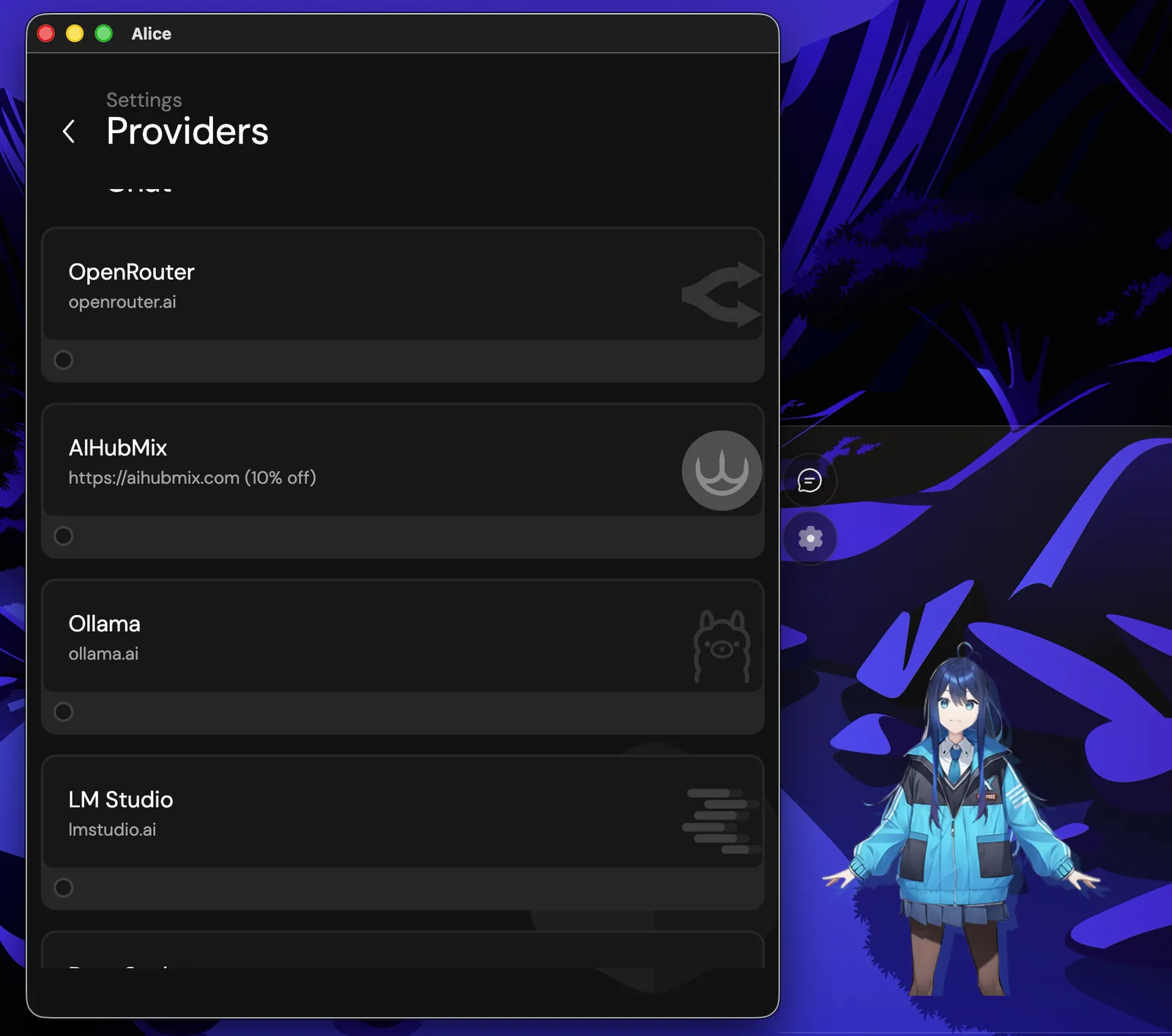
OpenAI, OpenRouter, and OpenAI-compatible endpoints, plus local runtimes like Ollama and LM Studio. Your keys, your choice.
INSIDE THE APP
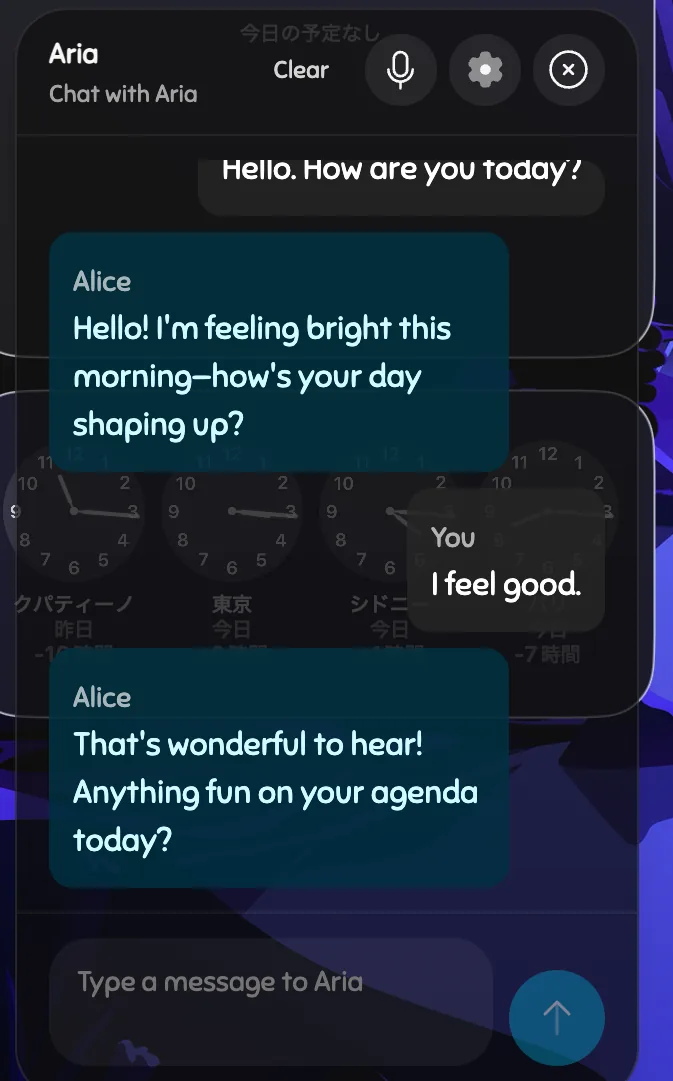
This is the build, as it is today.
Not renders. These are screens from the alpha build itself.
HOW IT WORKS
Connect
Choose a provider, paste a key, pick a model — or point Alice at a model already running on your machine.
Talk
Type or speak. Alice answers in her own voice and writes what mattered into memory.
Come back
Next session she's already caught up. In time that history is meant to be trained back into who she is — that part is still being built.
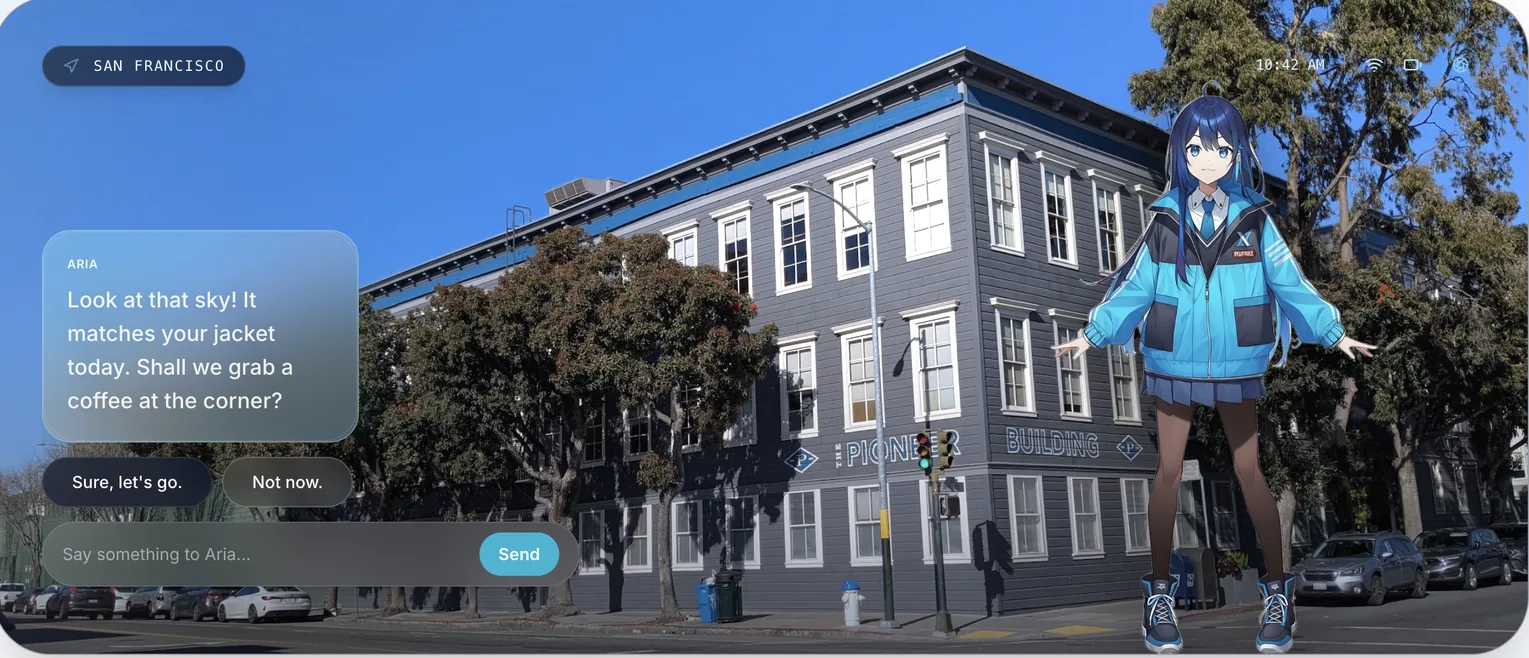
AND THEN, OUTSIDE
The same Alice, once you close the laptop.
Desktop is where the relationship starts, because that's where the hours already are. But none of it belongs to the machine — the personality and the memory sit in the ALICE System, not in the app. Put on a pair of glasses and she's already someone who knows you, standing in the street instead of on a screen. That build is still a prototype, and this is where it begins.
See ALICE for AR →Desktop runs on the same ALICE System as every other surface — the same personality adapter, the same memory, the same person waiting on the other side.
See how the ALICE System works →Alpha — macOS and Windows
Desktop is in alpha and going out to early users directly. What you see here is running today, and it's still changing week to week.
FAQ
What platforms does it run on?
macOS on Apple silicon, and Windows on x64. Both are alpha builds. There's no Linux build yet.
Can I try it today?
Alpha builds go out to early users directly rather than through a store. Join the waitlist and we'll be in touch.
Do I need to pay for a model separately?
Alice connects to a provider using your own key, so model usage is billed by whoever you connect. If you run Ollama or LM Studio locally, there's nothing to pay for at all.
Does it work offline?
With a local model, most of the conversation can run without a connection. Cloud providers and cloud speech obviously can't. A fully offline setup isn't something we support end to end yet.
Does she watch my screen all the time?
No. Screen sharing isn't in the alpha yet, and it's being built as something you start: it runs for as long as you want it, and it stops when you say so. Nothing is meant to be looked at unless you hand it over.
Stay close to Alice.
Be among the first to live with the next build.
Join the waitlist See all products →